
By ToolixLab Research Team · Last Updated: June 2026
The best AI video generator in 2026 depends on your budget and use case. Runway Gen-4.5 wins on cinematic quality and is now a multi-model hub including Veo 3.1 and Kling 3.0 Pro. Kling AI 3.0 offers the best value with native 4K and audio generation. Veo 3.1 produces the most photorealistic results but is US-only. Pika suits beginners and social content creators on tight budgets.
When OpenAI quietly discontinued Sora on April 26, 2026, it sent a ripple through the AI video world. The tool that had defined the category in 2024 was gone — and suddenly, creators and marketers needed a new answer to the question: which AI video generator is actually worth paying for?
The landscape has changed dramatically. Runway has evolved from a standalone model into a full multi-model platform. Kling AI launched native 4K in April 2026. Google shipped Veo 3.1 with audio generation built in. And Pika quietly lowered its prices while improving video coherence. In this Runway vs Kling vs Pika vs Veo comparison, we go head-to-head on quality, pricing, ease of use, and real-world output — so you know exactly where to spend your credits in 2026.
⚡ Quick Summary
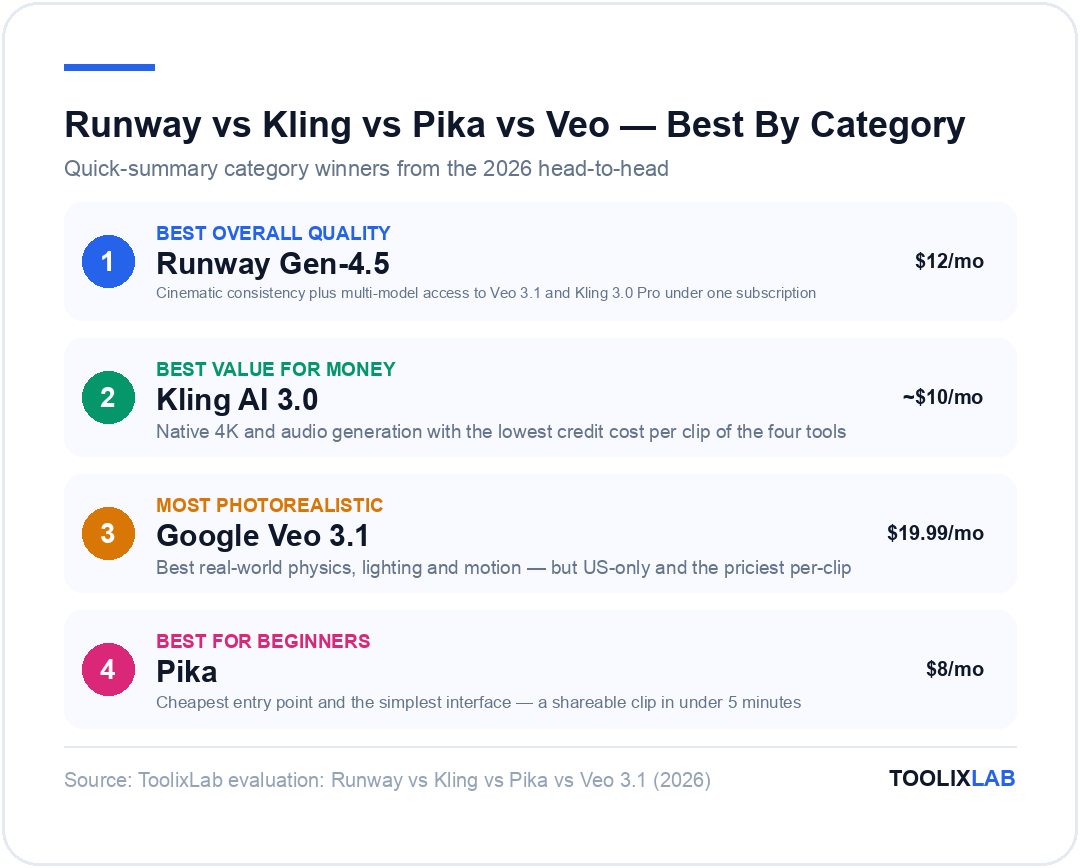
Best overall quality: Runway Gen-4.5 — cinematic consistency + multi-model access
Best value for money: Kling AI 3.0 — native 4K + audio, lower credit costs
Most photorealistic: Google Veo 3.1 — best realism, but US-only and expensive
Best for beginners: Pika — cheapest entry point, simplest interface
Best free tier: Kling AI — 66 free credits/day (renews daily)
Jump to: Comparison Table | Runway | Kling AI | Pika | Veo 3.1 | Verdict
Runway vs Kling vs Pika vs Veo 3.1: Key Differences at a Glance
| Tool | Best For | Starting Price | Free Plan | Native Audio | Max Resolution | Rating |
|---|---|---|---|---|---|---|
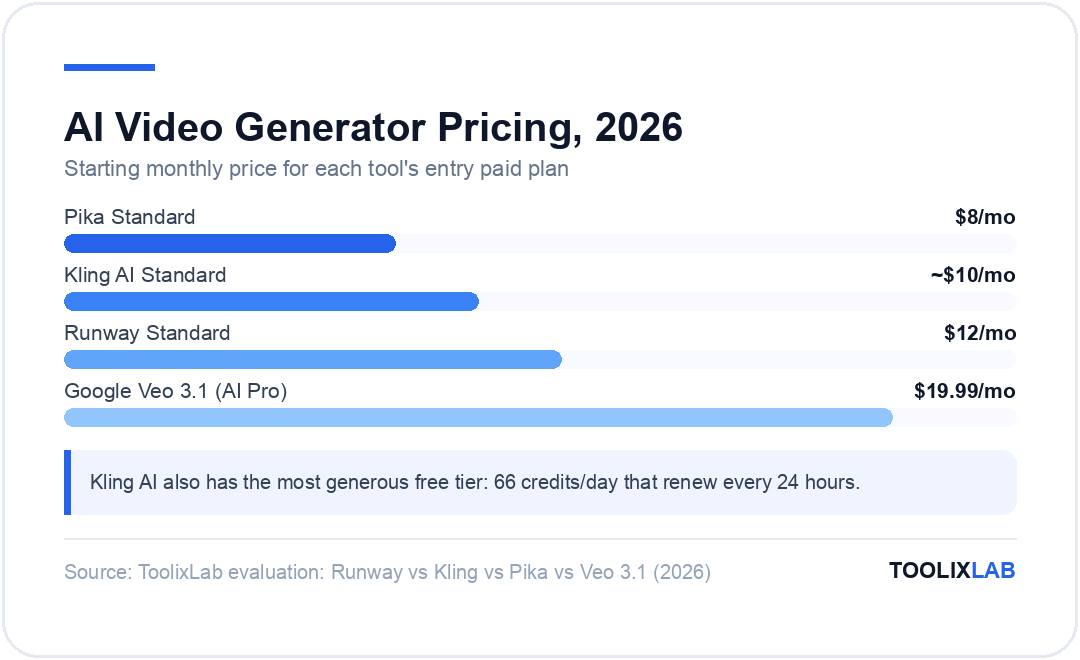
| Runway Gen-4.5 | Cinematic / Pro | $12/mo | ✅ (125 credits, one-time) | ✅ | 4K | ⭐ 4.8 |
| Kling AI 3.0 | Value / Volume | ~$10/mo | ✅ (66 credits/day) | ✅ | 4K | ⭐ 4.7 |
| Pika 2.5 | Beginners / Social | $8/mo | ✅ (80 credits/mo, 480p only) | ✅ | 1080p | ⭐ 4.3 |
| Google Veo 3.1 | Photorealism | $19.99/mo | ✅ (100 credits/mo via Gemini) | ✅ | 4K | ⭐ 4.6 |
* Prices verified June 2026 — check official pricing pages for current rates.
Why Sora's Discontinuation Reshuffled Everything
Sora's discontinuation on April 26, 2026 wasn't just a product decision — it was a signal. OpenAI had repositioned its video ambitions, and the creators who had been waiting on Sora's waitlist suddenly needed alternatives. The good news: the remaining tools have all levelled up significantly.
More importantly, the post-Sora landscape has one major structural change: Runway is no longer just a video generator. It now bundles access to Veo 3.1, Kling 3.0 Pro, Seedance 2.0, and other third-party models alongside its own Gen-4.5. This makes a Runway subscription effectively a multi-model video hub — a meaningfully different value proposition from 12 months ago. We break down whether that's worth the credit cost in our full Runway AI review.
Meanwhile, the best AI video generation tools have each carved out distinct niches. Here's what you actually need to know about each one.
Runway Gen-4.5 — The Professional's Platform
AI Video New 2026Runway started as a research-backed AI video tool and has evolved into something closer to an AI video operating system. Gen-4.5 is its flagship model for 2026 — optimised for cinematic consistency, character persistence across frames, and complex camera motion. But the bigger story is what Runway has built around it.
Every paid plan now includes access to Kling 3.0 Pro, Veo 3 and 3.1, Seedance 2.0, and multiple image generation models. If you're a professional who needs to test different models for different jobs — cinematic for brand films, Veo for photorealistic spots, Kling for high-volume social — Runway is the only place to do that under one subscription.
Gen-4.5 costs 25 credits per second, which is the most expensive model on the platform. Gen-4 Turbo drops to 5 credits per second and is fast enough for iterative work. Act-Two (performance capture) and Aleph (the video editor) round out a production suite that has no real equivalent among the other tools in this comparison.
Runway Key Features (2026)
- Gen-4.5: Runway's benchmark-topping flagship — 25 credits/second, exceptional character and scene consistency
- Gen-4 Turbo: Fast iteration model at 5 credits/second — useful for drafts and quick social content
- Act-Two: Performance capture that transfers human motion to AI characters
- Aleph: AI-native video editor integrated directly into the platform
- Multi-model access: Veo 3.1, Kling 3.0 Pro, Seedance 2.0, FLUX image models — all on paid plans
- Watermark-free: All paid plans include watermark removal
- Team collaboration: Shared projects and credits on higher tiers
✅ Pros
- • Gen-4.5 produces the most cinematically consistent outputs of any tool tested
- • Multi-model access (Veo, Kling, Seedance) makes it a one-stop shop
- • Act-Two performance capture is genuinely unique
- • Built-in video editor (Aleph) reduces post-production friction
- • Strong team and enterprise features
❌ Cons
- • Gen-4.5 burns credits fast — 25 credits/second adds up quickly
- • Free plan gives 125 one-time credits (not monthly)
- • Can feel complex for newcomers compared to Pika
- • Max plan ($76/mo) is expensive for solo creators
Runway Pricing (June 2026)
| Plan | Price/month (annual) | Credits/month |
|---|---|---|
| Free | $0 | 125 credits (one-time) |
| Standard | $12/mo | 625 credits/month |
| Pro | $28/mo | 2,250 credits/month |
| Max | $76/mo | 9,500 credits/month |
| Enterprise | Custom | Custom volume |
* Prices verified June 2026 — check the Runway official pricing page for current rates. Monthly billing is ~20% higher.
Runway — Professional AI Video + Multi-Model Access
Gen-4.5, Veo 3.1, Kling 3.0 Pro, and more — all under one subscription. The only AI video platform with a built-in editor and performance capture.
🎁 Start with 125 free credits — no credit card required
Kling AI 3.0 — Best Value for High-Volume Creators
Best for Value New 2026Developed by Kuaishou Technology, Kling AI has gone from a Chinese challenger to a global competitor that most serious video creators now keep in their stack. Kling 3.0 — the current model as of June 2026 — added native 4K output in April 2026 and native audio generation, closing two of its biggest gaps against Runway and Veo.
The credit economics are where Kling really pulls ahead. At 6 credits/second for 720p and 12 credits/second for 1080p with audio, a 10-second clip costs 60–120 credits. On the Pro plan (~$37/month) you get access to Kling 3.0 with enough credits for meaningful monthly output. Compare that to Runway, where a 10-second Gen-4.5 clip burns 250 credits on a plan that starts at $28/month.
The free tier is the most generous of any tool in this comparison: 66 credits refresh every 24 hours, meaning consistent daily use without paying anything. For creators who want to test AI video seriously before committing to a subscription, Kling is the obvious starting point. We break down credit costs, generation speed, and where Kling falls short of Runway in our full Kling AI review.
Kling AI Key Features (2026)
- Kling 3.0: Latest model with native 4K output (launched April 2026)
- Native audio generation: Automatic sound design and ambient audio in generated clips
- Motion control: Cinematic camera moves — dolly, pan, zoom, orbit
- Image-to-video: Animate any still image with motion prompts
- AI Digital Humans: Talking avatar generation for marketing and presentations
- Virtual try-on: E-commerce product visualisation built into the platform
- Developer API: Full API access for programmatic generation
✅ Pros
- • Most generous free tier: 66 credits/day, renews daily
- • Best credit-per-dollar ratio on Standard and Pro plans
- • Native 4K and audio now match top competitors
- • Motion control is among the best of any tool
- • Global availability — no region restrictions like Veo
❌ Cons
- • Interface can feel cluttered compared to Pika or Runway
- • Cinematic consistency still slightly behind Gen-4.5 on long shots
- • Credit pricing varies between sources — check official page for current rates
- • No built-in video editor (unlike Runway's Aleph)
Kling AI Pricing (June 2026)
| Plan | Price/month | Key Features |
|---|---|---|
| Free | $0 | 66 credits/day, Kling 3.0, watermarked |
| Standard | ~$10/mo | Kling 3.0, 1080p, no watermark, audio |
| Pro | ~$37/mo | Kling 3.0, 4K, native audio, motion control, API |
| Premier | ~$92/mo | High credit volume, priority generation, advanced features |
| Ultra | ~$180/mo | Maximum credits, enterprise-grade API, all features |
* Prices verified June 2026 — check the Kling AI official pricing page for current rates.
Pika 2.5 — Best for Beginners and Social Content
Best for BeginnersPika has always prioritised accessibility over raw power, and that positioning holds in 2026. Version 2.5 brought improved video coherence (fewer flickering frames, more stable motion), audio generation, and a slightly expanded credit budget at each tier. At $8/month for 700 credits, it's the cheapest entry point in this comparison.
Where Pika struggles is volume. A 10-second 1080p clip costs 80 credits, meaning the Standard plan's 700 credits gets you about 8–9 high-quality clips per month. That's enough for social media testing but nowhere near enough for serious production. The Fancy plan at $76/month gives 6,000 credits — more competitive, but at that price point, Runway's Pro tier with multi-model access starts to look attractive.
Pika's interface is genuinely the most intuitive of the four tools here. If you're introducing AI video to a client, a team, or yourself for the first time, Pika will get you to a shareable output the fastest. It's the tool that bridges "I've never done this" to "I kind of understand how AI video works."
✅ Pros
- • Cheapest paid plan at $8/month (Standard)
- • Easiest interface — best for first-timers
- • Audio generation included on all plans
- • Good for quick social content and drafts
- • Fast generation speed on Standard clips
❌ Cons
- • 80 credits per 10-second clip = very limited monthly volume
- • Max resolution is 1080p — no 4K unlike Runway, Kling, or Veo
- • Free plan limited to 480p resolution only — 720p/1080p requires a paid plan
- • Less cinematic output quality compared to Gen-4.5 or Veo 3.1
- • Fewer model options — single proprietary model
Pika Pricing (June 2026)
| Plan | Price/month (annual) | Credits/month |
|---|---|---|
| Free | $0 | 80 credits/month, 480p only, no watermark |
| Standard | $8/mo | 700 credits/month, no watermark, commercial use |
| Pro | $28/mo | 2,300 credits/month |
| Fancy | $76/mo | 6,000 credits/month, priority generation |
* Prices verified June 2026 — check the Pika official pricing page for current rates.
Google Veo 3.1 — Most Photorealistic, But With Caveats
AI Tools New 2026Google's Veo 3.1 is, by most quality benchmarks, the most photorealistic AI video model currently available. Built on DeepMind research and trained on an enormous dataset, it handles real-world physics, lighting, and motion in ways that still give other models trouble. Native audio generation — ambient sound, voiceover, music — is baked in at the generation step rather than added as a post-process.
The caveats are significant though. Veo 3.1 is currently region-locked — not available in the EU, China, or several other markets. Access comes through Google AI Pro ($19.99/month, 1,000 credits) or the more expensive Google AI Ultra tier ($249.99/month). At the Pro tier, 10 seconds of Veo 3.1 video costs ~125 credits, leaving roughly 8 full clips per month on the base plan.
One strategic note: if you're already on Runway's paid plans, you get Veo 3.1 access bundled in — potentially making a standalone Google subscription unnecessary. The API pricing ($0.40/second for Veo 3, $0.15/second for Veo 3 Fast) is the most developer-friendly entry point for high-volume programmatic use.
✅ Pros
- • Best photorealistic output of any tool in this comparison
- • Native audio (ambient, music, voice) at generation time
- • API pricing is competitive for developers ($0.15/sec for Veo 3 Fast)
- • Free access to 100 credits/month via Gemini/Google Labs
- • Available via Runway for those already subscribed
❌ Cons
- • Region-locked — not available in EU, China, and others
- • Google AI Ultra ($249.99/month) is extremely expensive for individuals
- • Limited workflow tooling compared to Runway's ecosystem
- • Access is tied to Google's ecosystem (Gemini, Google One)
- • Free tier (100 credits) is very limited for serious work
Google Veo 3.1 Pricing (June 2026)
| Access Method | Cost | What You Get |
|---|---|---|
| Google Gemini (Free) | $0 | 100 credits/month via Google Labs/Flow |
| Google AI Pro | $19.99/mo | 1,000 credits/month (~8 full 10-second clips) |
| Google AI Ultra | $249.99/mo | High credit volume, priority access, all Google AI features |
| Gemini API (Veo 3) | $0.40/sec | Pay-per-use, developer access |
| Gemini API (Veo 3 Fast) | $0.15/sec | Faster, cheaper, slightly lower quality |
* Prices verified June 2026 — check the Google AI pricing page for current rates.
Head-to-Head: Video Quality
Judging AI video quality is inherently subjective, but a few things stand out after extensive testing. Veo 3.1 consistently wins on photorealism — real-world textures, lighting, and physics behave in a way that still trips up the other models. If you're generating footage that needs to look like it was shot with a camera, Veo is your tool.
Runway Gen-4.5 wins on cinematic quality — stylised, intentional, directorial output. Character consistency across multi-second clips is noticeably stronger than anything Kling or Pika produces. For brand films, commercial work, or anything where a consistent visual narrative matters, Gen-4.5 has an edge.
Kling AI 3.0 is now genuinely close to Gen-4.5 on mid-complexity prompts and surpasses it on motion control for certain camera movements. The gap between Kling and Runway has closed significantly with the 3.0 update. At roughly a third of the credit cost per second, Kling 3.0 delivers compelling value.
Pika lags behind on quality for anything requiring consistent characters or complex motion, but for 3–5 second social clips with simple motion, it's perfectly adequate — and often faster to prompt because its interface is simpler.
Head-to-Head: Pricing & Credit Value
Here's the honest math. For a 10-second clip at the highest quality setting on each platform's mid-tier plan:
- → Runway Pro ($28/mo): 250 credits for 10 sec Gen-4.5 — ~9 full clips/month at Pro quality
- → Kling Pro (~$37/mo): ~120 credits for 10 sec 1080p + audio — ~30+ clips/month at equivalent quality
- → Pika Pro ($28/mo): 80 credits per 10 sec — ~28 clips/month (but capped at 1080p)
- → Veo AI Pro ($19.99/mo): ~125 credits for 10 sec — ~8 clips/month
Kling gives you the most clips per dollar at the mid-tier. Runway's value becomes clearer when you factor in the multi-model access — you're not just paying for Gen-4.5, you're paying for Gen-4.5 plus Veo 3.1 plus Kling 3.0 Pro under one subscription, which changes the calculation significantly. For creators who want access to multiple models, Runway at $28/month is genuinely competitive.
For more context on how these tools fit into a broader content workflow, see our guide to building an AI content creation workflow in 2026.
Head-to-Head: Ease of Use
Pika wins here. The interface is clean, prompts are straightforward, and you can generate a shareable clip within 5 minutes of signing up. Ideal for teams new to AI video.
Veo 3.1 through Google's Flow interface is also reasonably approachable — especially for anyone already inside the Google ecosystem. The challenge is navigating Google's credit and subscription system, which is less intuitive than competitors.
Kling AI has improved its interface considerably in 3.0 but still feels more complex than Pika or Runway. The platform has many features, and finding the right generation mode (text-to-video vs image-to-video vs camera control) takes some initial learning.
Runway is the most feature-rich and therefore the steepest to learn — but it's logical once you understand the credit system and model selector. Power users who want full control will feel most at home here.
If you're building video into your marketing stack, our roundup of the best AI tools for marketing in 2026 covers how AI video fits into a full campaign workflow.
Which AI Video Tool Should You Choose in 2026?
After Sora's departure, the AI video market has genuinely matured. This Runway vs Kling vs Pika vs Veo 3.1 breakdown shows there's no longer one obvious choice — the right tool depends on whether you optimise for quality, volume, price, or flexibility.
Our Verdict
Runway Gen-4.5 is the best overall platform in 2026, but it wins on the strength of its multi-model access as much as its own model quality. Kling AI 3.0 is the best standalone value. Veo 3.1 is the highest-quality model available but comes with meaningful geographic and pricing restrictions. Pika remains the ideal entry point for newcomers.
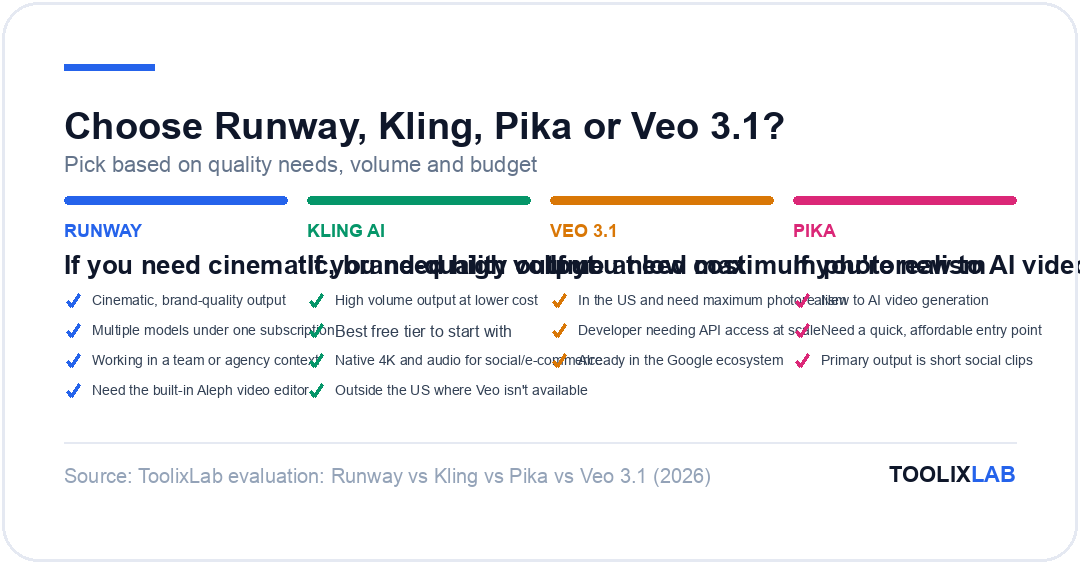
✅ Choose Runway if...
- • You need cinematic, brand-quality output
- • You want access to multiple models under one subscription
- • You're working in a team or agency context
- • You need the built-in Aleph video editor
✅ Choose Kling AI if...
- • You need high volume output at lower cost
- • You want the best free tier to start with
- • You need native 4K and audio for social/e-commerce
- • You're outside the US and Veo isn't available
✅ Choose Veo 3.1 if...
- • You're in the US and need maximum photorealism
- • You're a developer needing API access at scale
- • You're already in the Google ecosystem (Gemini, Workspace)
✅ Choose Pika if...
- • You're new to AI video generation
- • You need a quick, affordable entry point ($8/month)
- • Your primary output is short social media clips
🔑 Key Takeaways
- ✓ Sora was discontinued April 26, 2026 — Runway, Kling, Veo 3.1, and Pika are the main alternatives
- ✓ Runway is now a multi-model hub: Gen-4.5 + Veo 3.1 + Kling 3.0 Pro + Seedance 2.0 on all paid plans
- ✓ Kling AI 3.0 offers the best credit-per-dollar ratio and the most generous free tier (66 credits/day)
- ✓ Veo 3.1 produces the most photorealistic output but is US-only and priced high for individuals
- ✓ Pika is the easiest to use and cheapest to start, but limited to 1080p and lower volume output
- ✓ For teams or agencies, Runway's Pro plan at $28/month represents the strongest all-round value
Want a broader overview of the AI video landscape beyond these four tools? See our full roundup of the best AI video generation tools in 2026, which covers 15 tools including options for specific use cases like social media, e-commerce, and enterprise production.
Frequently Asked Questions
Which AI video generator is best in 2026?
Runway Gen-4.5 leads for professional quality and is now a multi-model hub including Veo 3.1 and Kling 3.0 Pro. Kling AI 3.0 wins on value with native 4K and audio at lower price points. Veo 3.1 produces the most realistic outputs but is region-locked and expensive. Pika suits beginners and social content creators on tight budgets.
Is Runway better than Kling AI?
It depends on your use case. Runway Gen-4.5 produces more cinematically polished results and now includes access to Kling 3.0 Pro, Veo 3.1, and other models on paid plans — making it a better all-in-one platform. Kling AI standalone offers more credits per dollar, especially on its Standard and Pro tiers, making it better for high-volume creators.
What replaced Sora after it was discontinued?
OpenAI discontinued Sora on April 26, 2026. The closest replacements are Runway Gen-4.5 for cinematic quality, Google Veo 3.1 for photorealistic video, and Kling AI 3.0 for value-focused creators. All three have significantly closed the quality gap that once made Sora stand out from the competition.
Does Runway include Veo 3.1 and Kling on its plans?
Yes. As of 2026, all Runway paid plans (Standard and above) include access to Veo 3.1, Kling 3.0 Pro, and Seedance 2.0 as third-party models alongside Runway's own Gen-4.5 and Gen-4 Turbo. This makes Runway effectively a multi-model video generation hub rather than a single-model platform.
Is Veo 3.1 available outside the US?
Veo 3.1 is currently region-locked and not available in the EU, China, or several other regions. US-based creators can access it via Google AI Pro ($19.99/month) or through the Gemini API. International users can access Veo 3.1 indirectly through Runway's paid plans, which bundle it as a third-party model.
Which AI video tool has the best free plan in 2026?
Kling AI has the most generous free tier: 66 credits per day that reset every 24 hours, giving serious access to Kling 3.0 at no cost. Runway gives 125 one-time credits (not monthly). Pika offers 80 monthly credits with no watermark but restricted to 480p only. Veo 3.1 provides 100 monthly credits via Google Gemini with no watermark.
How much does it cost to generate a 10-second AI video in 2026?
Costs vary by tool and quality tier. On Runway Pro, a 10-second Gen-4.5 clip costs 250 credits (~$1.24 equivalent). On Kling Pro, a 10-second 1080p clip with audio costs ~120 credits (~$0.37 equivalent). On Veo 3.1 via Google AI Pro, 10 seconds uses ~125 of your 1,000 monthly credits. Pika Standard uses 80 credits for 10 seconds at 1080p.