
Claude Trust Snapshot
Real Free Score
76/100
Lock-In Risk
Low
Billing Friction
Low
Commercial Use
Allowed
Data Privacy
Clear
Volatility
Medium
Last checked
2026-07-22
By ToolixLab Research Team · Last Updated: June 2026
Quick Answer
To use Claude AI for business, start on the Team plan ($25/seat/month), create Projects to upload your company context, then deploy Claude for your single highest-ROI use case first — typically document analysis, content creation, or customer support. Most businesses report measurable time savings within two weeks of structured deployment.
By mid-2026, 70% of Fortune 100 companies use Claude AI — and for good reason. Anthropic's flagship model isn't just another chatbot. For businesses, Claude is a document-processing engine, a writing collaborator, a code reviewer, and an automation backbone, all in one tool that follows complex instructions without drifting off-task.
But most businesses get it wrong. They give employees a single Claude account, tell them to "use AI," and wonder why adoption stalls. The teams seeing 40–80% time savings on specific tasks are doing something different: they're building structured Claude workflows, not just asking questions.
This guide covers exactly how to use Claude AI for business in 2026 — from picking the right plan to setting up Projects, identifying the highest-ROI use cases, integrating with your existing stack, and measuring results. Whether you're a five-person startup or a 500-person enterprise, the framework is the same.
⚡ Quick Summary
Best plan for small teams (5–15 people): Claude Team Standard at $25/seat/month
Highest-ROI first use case: Document analysis and contract review
Best free option: Claude Free (limited usage) or start with one Pro seat to test workflows
Time to first ROI: Most teams see measurable savings within 2 weeks of structured deployment
Jump to: Top Use Cases | Plans & Pricing | Claude vs ChatGPT
What Is Claude AI for Business?
Claude is an AI assistant built by Anthropic, available at claude.ai. For business users, Claude is more than a conversational tool — it's a knowledge-work engine capable of reading, writing, analyzing, and acting on information at scale.
What distinguishes Claude from other AI assistants for business use is threefold. First, its instruction-following: give Claude a 15-point rubric for scoring vendor proposals and it will apply every criterion without drift — a gap where generic AI assistants consistently fail in enterprise settings. Second, its context window: Claude Sonnet 4.6 and Opus 4.8 both support 1 million tokens of context, meaning you can feed Claude an entire contract suite, a year of meeting notes, or a 500-page policy manual and ask questions across all of it in one session. Third, its safety design: Anthropic builds Claude with explicit constraints on harmful outputs, which matters when deploying AI in legal, finance, or HR settings.
In 2026, Claude is available in three business-relevant interfaces: claude.ai (the web/mobile app), the Claude API (for developers building custom integrations), and Claude for Small Business (a toggle install inside tools like QuickBooks and HubSpot, launched May 2026). This guide focuses primarily on the claude.ai interface — the fastest path to business value without engineering resources.
If you are just getting started with the basics, our beginner's guide to Claude covers the fundamentals before you scale to team deployment.
What Claude Plan Does Your Business Actually Need?
Anthropic offers four main plans. The right choice depends on how many employees need access, what data governance requirements you have, and how heavily you'll use Claude day-to-day.
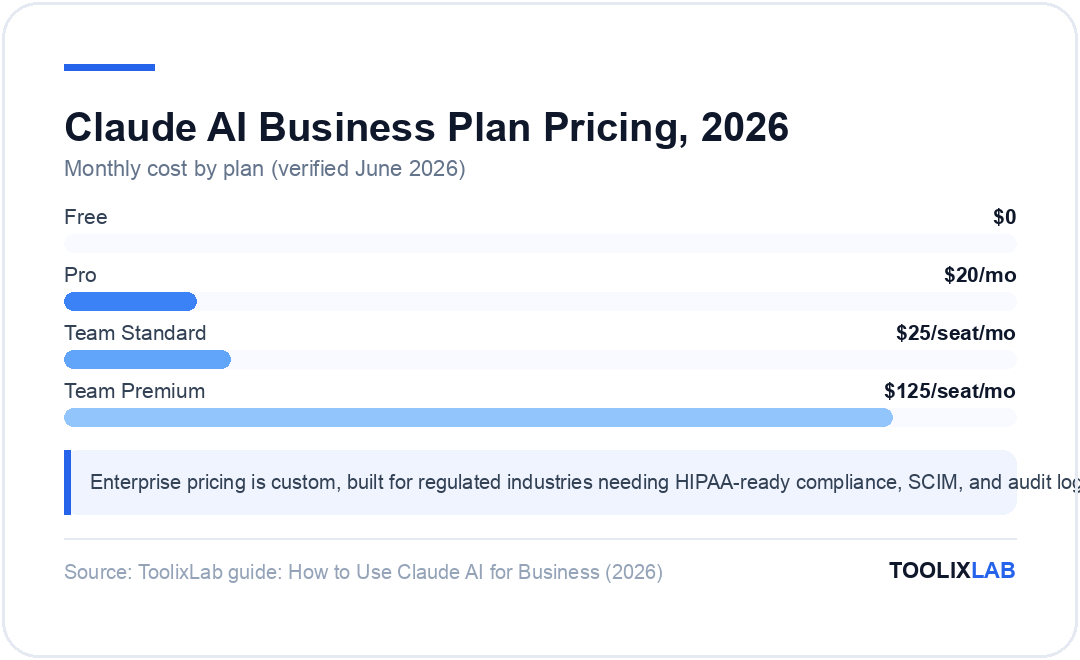
| Plan | Price | Best For | Key Business Feature |
|---|---|---|---|
| Free | $0 | Exploring Claude | Limited usage, Slack integration |
| Pro | $20/mo | Solo founders, consultants, team leads | Unlimited Projects, Microsoft 365 |
| Team Standard | $25/seat/mo | Teams of 5–150 | SSO, shared Projects, admin controls |
| Team Premium | $125/seat/mo | Heavy daily users needing 5× more output | 5× usage vs. Standard seats |
| Enterprise | Custom | Regulated industries, 150+ seats | HIPAA-ready, SCIM, audit logs, data residency |
*Prices verified June 2026 — check claude.com/pricing for current rates. Annual billing saves ~20%.
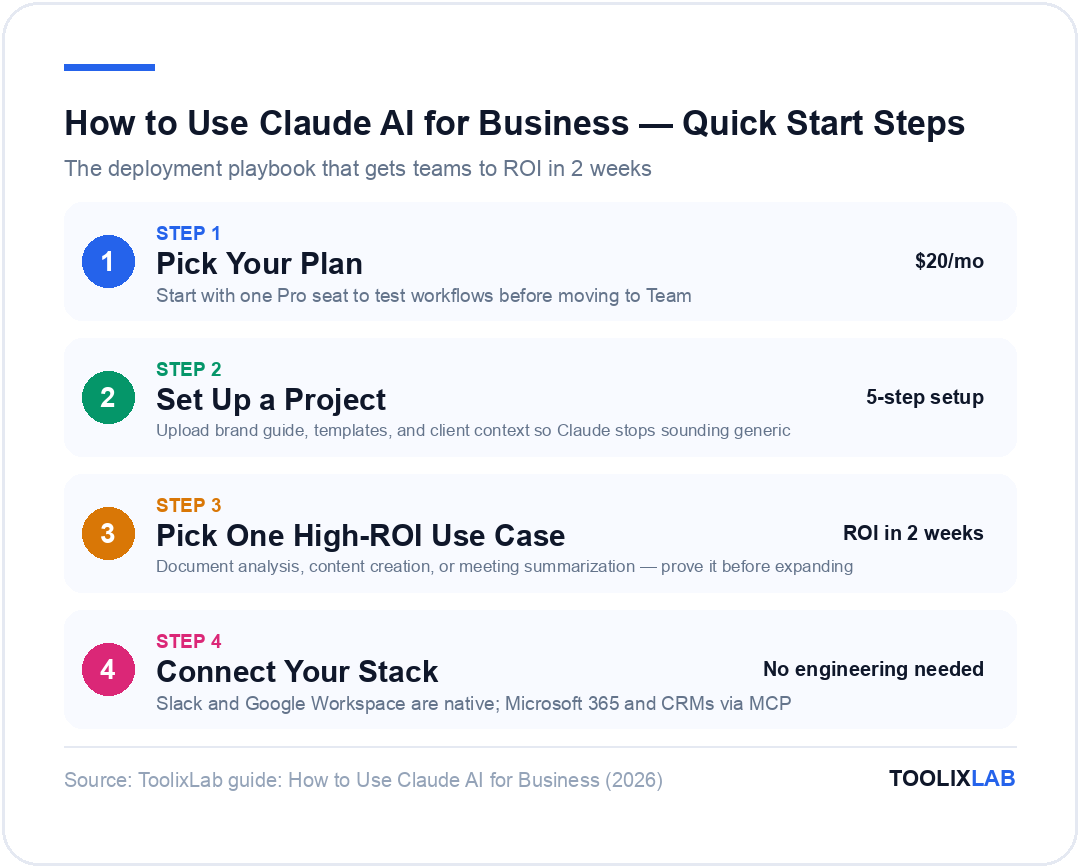
Our recommendation for most businesses: Start with one Pro seat to test workflows for 30 days, then move to Team Standard once you've validated the use cases. Team Standard gives you the shared Projects and admin visibility that turn Claude from a personal productivity tool into an organizational asset.
Enterprise is the right choice if you operate in a regulated industry (healthcare, finance, legal) where HIPAA compliance, data residency, or audit logs are non-negotiable. For most SMBs, Team Standard is sufficient.
How to Set Up Claude Projects for Persistent Business Context
The single most impactful thing you can do to improve Claude's business output is set up Projects properly. Without a Project, every new conversation starts cold — Claude knows nothing about your company, your brand voice, or your clients. With a Project, Claude inherits all of that context automatically in every conversation.
A Project is a persistent workspace inside claude.ai. You upload documents once — brand guidelines, client briefs, process SOPs, legal boilerplate, terminology glossaries — and every conversation inside that Project draws on them. The result: Claude stops producing generic outputs and starts producing outputs aligned to your business.
Step-by-Step: Creating Your First Business Project
- Navigate to Projects in the left sidebar of claude.ai and click New Project.
- Upload your core context files. Start with three documents: your brand voice guide, your most-used templates (email, proposal, report), and any client or product background relevant to the Project's purpose.
- Write a system-level instruction at the top of the Project description. Example: "You are an assistant for [Company Name]. Always match our formal-but-approachable tone. Never invent statistics. All draft content should follow the attached brand guide."
- Test with three real tasks from your workflow before sharing with the team. Check that Claude applies the uploaded context correctly before rolling it out broadly.
- Share with your team (Team plan required) so colleagues can use the same context-loaded workspace without setup overhead.
Recommended Project Structure for Most Businesses
Rather than one giant Project for everything, create separate Projects by function. This keeps context focused and outputs relevant:
- Marketing Project: Brand guide, past campaign assets, audience personas, SEO keyword lists
- Sales Project: Product sheets, competitor battle cards, objection-handling scripts, proposal templates
- Legal/Ops Project: Contract templates, compliance checklists, vendor review criteria
- HR Project: Job description templates, interview frameworks, onboarding materials
- Client Projects (one per major client): Client background, engagement history, style preferences
For teams running complex AI content workflows, Projects dramatically reduce the per-task prompting overhead because the context is always there.
The 7 Highest-ROI Business Use Cases for Claude in 2026
Not all Claude use cases are equal. The businesses seeing the fastest ROI focus on specific, repeatable, high-volume tasks first. Here are the seven with the clearest business case.
1. Document Analysis and Contract Review
Claude's 1M-token context window makes it uniquely suited for document-heavy workflows. Legal and operations teams paste entire contracts, NDAs, and vendor agreements into Claude and ask it to flag non-standard clauses, summarize key obligations, and compare against a standard template — work that used to take hours now takes minutes. According to a 2026 survey by FastSlowMotion, legal teams using Claude for first-pass contract review report 60–75% reduction in document review time.
How to implement: Create a Legal Project, upload your standard contract templates and review criteria, then paste each new document with the prompt: "Compare this against our standard [contract type]. Flag any deviations from our template and summarize key obligations by party."
2. Content Creation at Scale
Marketing teams consistently report the highest initial ROI from Claude. A 2025 HubSpot survey found that marketers using AI assistants produced 3.5× more content per week while maintaining quality scores within 8% of human-only baselines. Claude is particularly strong for long-form content — blog posts, whitepapers, case studies, and pitch decks — where tone and structure matter. Load your brand guide into a Marketing Project and Claude writes on-brand from session one.
For AI marketing teams, Claude is often the core content engine, with Surfer SEO or similar tools handling optimization. This stack produces SEO-ready content significantly faster than human-only workflows.
3. Meeting Summarization and Action Item Extraction
Paste a transcript into Claude and ask for a structured summary, decisions made, and action items with owners and deadlines. Claude handles long transcripts well — a two-hour strategy meeting is well within its context window — and produces outputs that are ready to paste into your project management tool. Teams using Claude for meeting follow-up report saving 20–30 minutes per meeting in post-meeting admin work.
4. Sales Enablement and Proposal Drafting
Sales teams upload their product sheets, pricing, and competitor battle cards into a Sales Project. Claude then drafts customized proposals, writes follow-up emails, prepares discovery call agendas, and suggests objection-handling responses for specific prospect scenarios. For sales teams using AI tools, Claude handles the proposal drafting phase so reps spend time on relationships, not document creation.
5. Knowledge Management and Internal Q&A
Companies are loading Claude Projects with internal documentation — employee handbooks, product specs, process guides — so new hires can ask questions and get accurate answers without hunting through outdated wikis. Unlike keyword search, Claude understands the intent behind a question and synthesizes answers from multiple documents simultaneously. Financial services firms that implement Claude for internal knowledge retrieval report onboarding time reductions of 30–40%.
6. Code Review and Technical Documentation
Engineering teams use Claude to review pull requests for logic errors, security vulnerabilities, and improvement opportunities before code goes into production. Claude is also strong on technical documentation — it can read a codebase and produce accurate API docs, README files, and architecture summaries. For teams using AI developer tools, Claude handles the documentation and review burden so engineers focus on new features.
7. Customer Support Response Drafting
Support teams upload their product FAQs, escalation policies, and resolution guidelines into a Claude Project. When a complex customer issue comes in, the agent pastes the email thread into Claude, which drafts a thorough, policy-compliant response in seconds. Claude reduces first-response time while maintaining the tone control that matters in sensitive support situations. According to a 2026 report by RZLT, customer support teams using Claude for response drafting report a 45% reduction in average handle time.
How to Connect Claude with Your Existing Business Stack
One of Claude's underused strengths in 2026 is its integration ecosystem. You don't need an engineering team to connect Claude to the tools your business already uses.
Native Integrations (No Setup Required)
- Slack: Available on all plans. Use the Claude Slack app to ask Claude questions in any channel or DM without leaving Slack.
- Google Workspace: Available on all plans. Claude integrates with Google Drive, Docs, and Gmail for in-context AI assistance.
- Microsoft 365: Available on Pro and above. Claude connects to Outlook, Word, and Teams for email drafting, document editing, and meeting support.
Model Context Protocol (MCP) Connectors
For deeper integrations, Claude's Model Context Protocol (MCP) is an open standard that lets Claude connect bidirectionally to external systems. With MCP, Claude can read from and write to your CRM, project management tools, databases, and custom APIs. Hundreds of MCP servers have been built for tools including Salesforce, HubSpot, Notion, GitHub, Jira, Xero, and Zapier.
For non-technical teams, no-code AI workflow tools like Zapier and Make already offer Claude connectors that don't require MCP setup. You can trigger Claude to run a task automatically when a new deal is created in your CRM, a support ticket is filed, or a form is submitted — no engineering needed.
Claude Cowork (Team Collaboration)
Launched in early 2026, Claude Cowork allows teams to collaborate on shared Claude workspaces in real time — similar to a shared Google Doc but where Claude is a live collaborator on every task. Teams using Cowork report improved output consistency because everyone is prompting Claude from the same shared context.
For teams tracking progress in AI project management tools, linking Claude outputs to your task board creates a complete AI-assisted workflow from brief to delivery.
Claude vs ChatGPT: Which Is Better for Business in 2026?
The Claude vs ChatGPT debate matters differently for business users than for general consumers. For personal productivity, either works. For team deployment, the differences are more pronounced.
| Factor | Claude (Team Plan) | ChatGPT (Team Plan) |
|---|---|---|
| Context window | Up to 1M tokens | 128k tokens |
| Instruction following (complex) | Excellent | Good |
| Plugin / integration ecosystem | Growing (MCP) | Larger |
| Team plan pricing | $25/seat/mo | $30/seat/mo |
| Document analysis (large docs) | Superior | Limited by context |
| Enterprise compliance features | HIPAA-ready, SCIM, audit logs | SOC 2 Type II |
Bottom line: For document-heavy workflows, compliance-sensitive environments, and teams that need to process long files, Claude is the stronger business choice. ChatGPT's larger plugin ecosystem gives it an edge for teams whose workflows depend on specific third-party integrations. Most businesses evaluate both with a 30-day trial before committing at the team level.
For a deeper comparison, see our full ChatGPT vs Claude head-to-head analysis.
What Mistakes Do Companies Make When Deploying Claude?
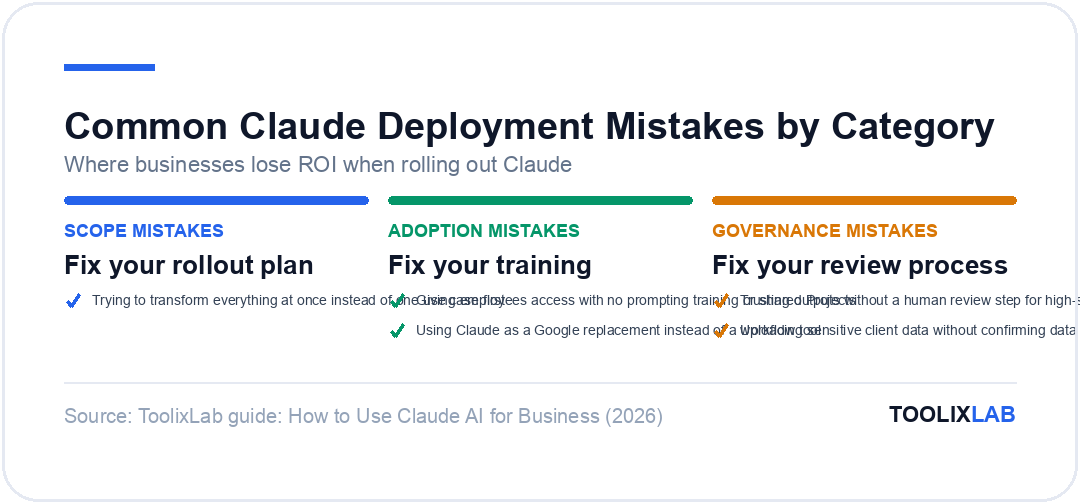
Most Claude deployments underperform not because of Claude's limitations, but because of avoidable organizational mistakes. Here are the most common ones — and how to avoid them.
❌ Common Mistakes
- • Trying to transform everything at once instead of one use case first
- • Giving employees access with no prompting training or shared Projects
- • Using Claude as a Google replacement instead of a workflow tool
- • Trusting Claude outputs without a human review step for high-stakes tasks
- • Uploading sensitive client data without confirming data handling policies
✅ What High-ROI Teams Do
- • Pick one use case, prove ROI, then expand
- • Create role-specific Projects with pre-loaded context
- • Treat Claude outputs as strong drafts requiring human review
- • Train employees on prompting with shared prompt libraries
- • Review Anthropic's data usage policies before uploading sensitive data
The most critical mistake is also the most common: trying to solve every problem at once. Organizations that pick their single highest-volume, most time-intensive task and build a complete Claude workflow around it first report the fastest ROI — typically within two weeks. Everything else follows from that foundation.
Data privacy is also non-negotiable. Anthropic's Team plan does not use your conversations to train Claude's models. Enterprise customers can configure data residency and retention policies. Always confirm these settings before uploading client-confidential information, especially in legal or finance contexts. For highly regulated industries, review Anthropic's Privacy Policy and consult legal before deployment.
How to Track Claude's ROI and Know When to Scale
The simplest ROI framework: measure time-per-task before and after Claude, then multiply by employee hourly cost. For most knowledge-work tasks, Claude reduces time-on-task by 40–80%. A content team that spends 8 hours per blog post and drops to 2 hours has freed 6 hours of capacity per article — at $50/hour, that's $300 saved per piece, against a $25 monthly seat cost.
Three metrics worth tracking during the first 90 days of Claude deployment:
- Time-per-task reduction: Baseline vs. post-Claude hours for your target workflow
- Output volume increase: Tasks completed per week, articles published, proposals sent
- Active adoption rate: What % of licensed seats are actively using Claude weekly?
Low adoption (under 50% of seats active weekly) is a signal to investigate prompting skills, not to scale. High adoption with consistent time savings is the signal to add seats or expand to additional use cases. For coaches and consultants building AI workflows, see our guide on AI workflow implementation for service businesses.
🔑 Key Takeaways
- ✓ Start on Claude Team Standard ($25/seat/mo) once more than one employee needs access — shared Projects are the feature that unlocks team-level ROI
- ✓ Set up role-specific Projects with brand guidelines, SOPs, and templates uploaded — this turns Claude from a generic chatbot into an on-brand business tool
- ✓ Prove one use case first: document analysis, content creation, or meeting summarization consistently deliver the fastest ROI
- ✓ Claude's 1M-token context window gives it a significant advantage over ChatGPT for document-heavy, enterprise workflows
- ✓ Most teams see measurable time savings within 2 weeks; low adoption after 30 days signals prompting training gaps, not tool limitations
- ✓ Verify data handling policies before uploading client-confidential information, especially in regulated industries
Conclusion
Using Claude AI for business in 2026 is less about the AI itself and more about the structure you build around it. Claude is a remarkably capable model — its 1M-token context window, precise instruction-following, and growing integration ecosystem make it the strongest enterprise AI choice for document-heavy organizations. But capability without structure produces generic outputs and stalled adoption.
The businesses winning with Claude in 2026 have done three things: they chose the right plan for their team size, they built Projects that pre-load company context, and they started with one high-value use case before expanding. That's the complete playbook.
If your team is running on Pro and ready to move to a team deployment, the jump to Team Standard is worth it the moment a second employee needs Claude regularly. The shared Projects and admin controls alone justify the difference. For finance teams specifically, our guide to AI tools for finance teams covers Claude alongside purpose-built finance AI tools that integrate with your existing stack. And if you manage a consulting or coaching practice, see how coaches and consultants are using AI tools to scale their service delivery without scaling headcount.
Frequently Asked Questions
Is Claude AI good for business use?
Yes. Claude excels at document analysis, content creation, contract review, meeting summarization, and coding — the high-volume tasks that dominate business knowledge work. By 2026, 70% of Fortune 100 companies use Claude, driven by its ability to handle complex, multi-step instructions accurately and process documents up to 1 million tokens.
What is the difference between Claude Pro and Claude Team for business?
Claude Pro ($20/month) is designed for individual use with higher usage limits and Claude Projects. Claude Team ($25/seat/month, minimum 5 seats) adds central administration, SSO, shared workspaces, admin connector controls, and desktop deployment. Once more than one employee needs Claude, Team is the right plan.
How do I set up Claude Projects for my team?
Inside claude.ai, create a new Project and upload your brand guidelines, SOPs, templates, and client context. Every conversation inside that Project inherits the uploaded context automatically. Team plan members can share Projects across the organization so everyone works from the same institutional knowledge without re-explaining context each session.
Can Claude AI replace human employees?
No. Claude automates the repetitive, document-heavy parts of knowledge work — drafting, summarizing, reviewing — but human judgment, relationship management, and strategic decisions remain essential. The highest-ROI teams use Claude to eliminate administrative overhead so employees can focus on higher-value work that requires human insight.
How does Claude compare to ChatGPT for business use?
Claude generally outperforms ChatGPT at following complex multi-step instructions without drift, handling very long documents (up to 1M tokens), and producing structured business outputs. ChatGPT has a broader plugin ecosystem and more third-party integrations. For document-heavy, compliance-sensitive workflows, most enterprise teams prefer Claude. ChatGPT is stronger when specific third-party integrations are required.
What is Claude for Small Business?
Launched in May 2026, Claude for Small Business is a toggle-install that puts Claude inside tools small businesses already use: Intuit QuickBooks, PayPal, HubSpot, and others. It ships with 15 ready-to-run agentic workflows across finance, operations, sales, marketing, HR, and customer service — making AI adoption accessible without technical expertise.
How much does Claude cost for a business team?
The Team Standard plan costs $25/seat/month (billed monthly) or $20/seat/month (billed annually) with a minimum of 5 seats. A 10-person team pays $250/month or $2,400/year. Team Premium is $125/seat/month for heavy users needing 5× more output. Enterprise pricing is custom. Prices verified June 2026 — check claude.com/pricing for current rates.
Does Claude integrate with Slack, HubSpot, and other business tools?
Yes. Claude integrates natively with Slack and Google Workspace on all plans, and with Microsoft 365 on Pro and above. For CRM tools like HubSpot and Salesforce, Claude's Model Context Protocol (MCP) enables bidirectional integrations that let Claude read from and act on external systems. No-code tools like Zapier also offer Claude connectors for non-technical teams.